
Home Health Documentation Workflow: What Actually Slows Nurses Down?
Home health documentation is one of the biggest administrative burdens clinicians carry, but it is rarely slow for the reasons people assume. The problem usually isnt the nurse, its the workflow surrounding the note: medication reconciliation, OASIS, duplicate entry across disconnected systems, interruptions, and after-hours charting. Here is what actually slows nurses down and how to fix it.
Key Takeaways
- Documentation is slow because the workflow around it is fragmented, not because nurses are inefficient.
- Medication reconciliation and OASIS are the two most time-consuming parts of the visit.
- Duplicate data entry across disconnected systems is a major hidden productivity killer.
- Interruptions and end-of-day pajama charting compound delays and fuel burnout.
- Documentation delays slow billing, raise compliance risk, and disrupt care coordination across the whole agency.
- The fix is redesigning the workflow and supporting clinicians with technology, not just asking them to chart faster.
💡 Quick Answer: Home health documentation is slow less because of patient volume and more because the workflow around it is fragmented. Clinicians switch between multiple systems, re-enter data that already exists, reconcile long medication lists, complete detailed OASIS assessments, and get interrupted throughout the day, then finish notes hours later. Fixing it means redesigning the workflow, not just asking nurses to chart faster.
Home health documentation is one of the biggest administrative burdens clinicians carry, but it is rarely slow for the reasons people assume. The problem usually isn't the nurse, it's the workflow surrounding the note.
What Is a Home Health Documentation Workflow?
A home health documentation workflow is the complete sequence of clinical and administrative tasks that a nurse performs before, during, and after a patient visit. It isn't limited to writing a visit note; it's the entire process of gathering information, making clinical decisions, documenting findings, and ensuring that every piece of information is available for the rest of the care team.
Before entering a patient's home, a clinician may review the referral, physician orders, hospital discharge summary, medication list, previous visit notes, and care plan. During the visit, they assess the patient, perform skilled interventions, educate the patient and caregiver, reconcile medications, and observe the home environment. After the visit, they complete documentation, update the care plan if necessary, communicate with physicians, and submit the note for billing and compliance.
A typical home health documentation workflow includes:
- Reviewing physician orders and referral documents
- Preparing for the patient visit
- Performing physical and clinical assessments
- Medication reconciliation
- Patient and caregiver education
- OASIS assessment (when required)
- Creating or updating the care plan
- Completing the visit note
- Coordinating with other clinicians
- Submitting documentation for billing and quality reporting
Although this workflow appears straightforward, every manual step introduces opportunities for delays, errors, and duplicate work. Over time, these small inefficiencies compound, making documentation one of the biggest administrative burdens in home health.
Why Does Home Health Documentation Take So Long?
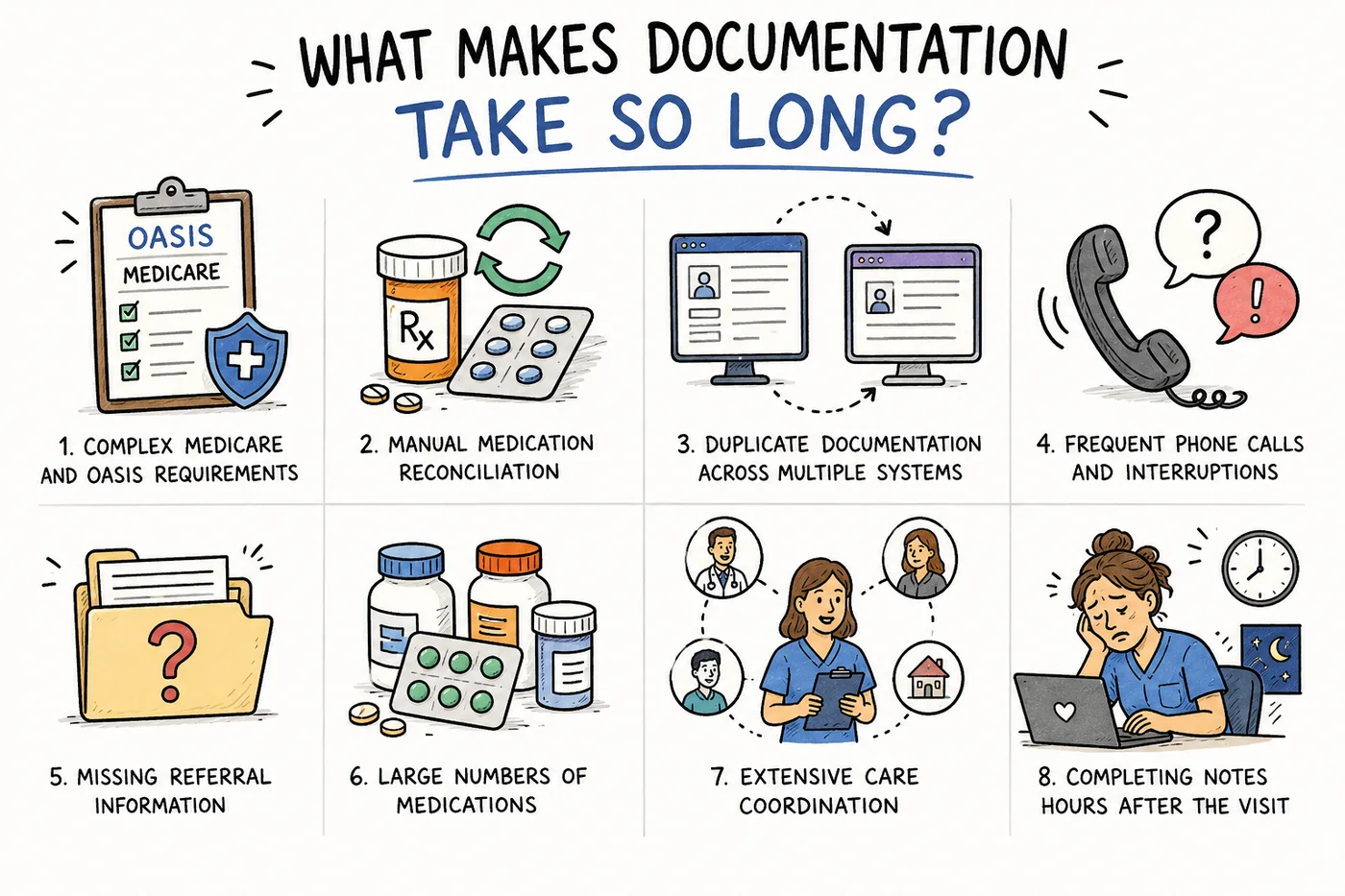
Documentation rarely drags because of one big task, it drags because of many small ones repeated across every visit, every day.
Many people assume documentation takes a long time because nurses are busy attending to patients. While patient volume certainly plays a role, it's rarely the primary reason. The real issue is that documentation workflows have become increasingly fragmented. Instead of completing one continuous process, clinicians constantly switch between multiple systems, respond to interruptions, search for missing information, and manually enter data that already exists elsewhere.
Consider what happens during a typical start-of-care visit. A nurse may spend over an hour assessing the patient, then another hour or more documenting OASIS responses, reviewing medication lists, verifying physician orders, and completing compliance requirements. Several factors contribute to longer documentation times:
- Complex Medicare and OASIS requirements
- Manual medication reconciliation
- Duplicate documentation across multiple systems
- Frequent phone calls and interruptions
- Missing referral information
- Large numbers of medications
- Extensive care coordination
- Completing notes hours after the visit
None of these tasks individually consumes enormous amounts of time. However, when repeated across six to eight patient visits every day, they quickly extend documentation into evenings and weekends.
The Biggest Workflow Bottlenecks in Home Health
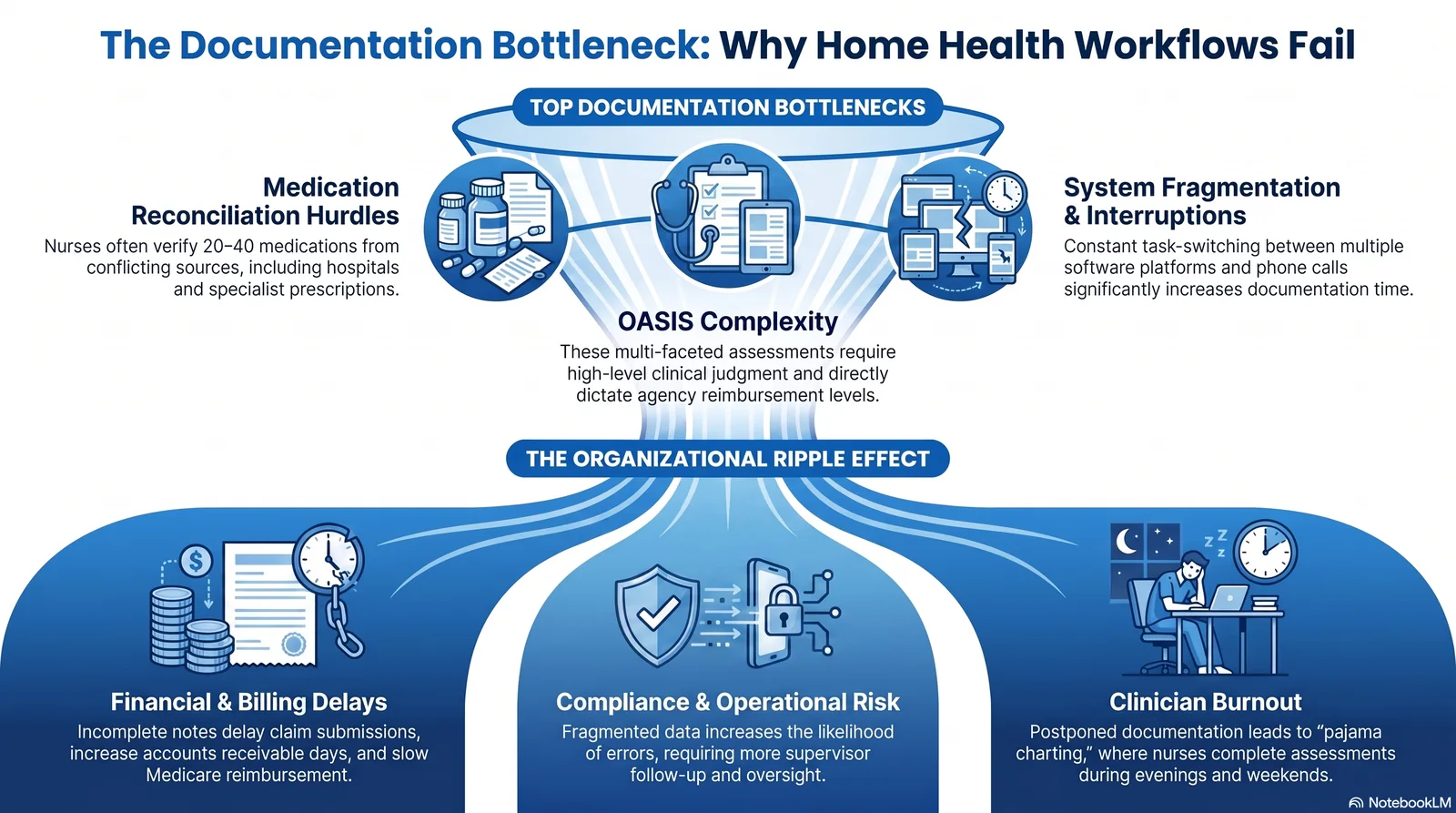
The top documentation bottlenecks funnel into an organization-wide ripple effect: billing delays, compliance risk, and clinician burnout.
1. Medication Reconciliation
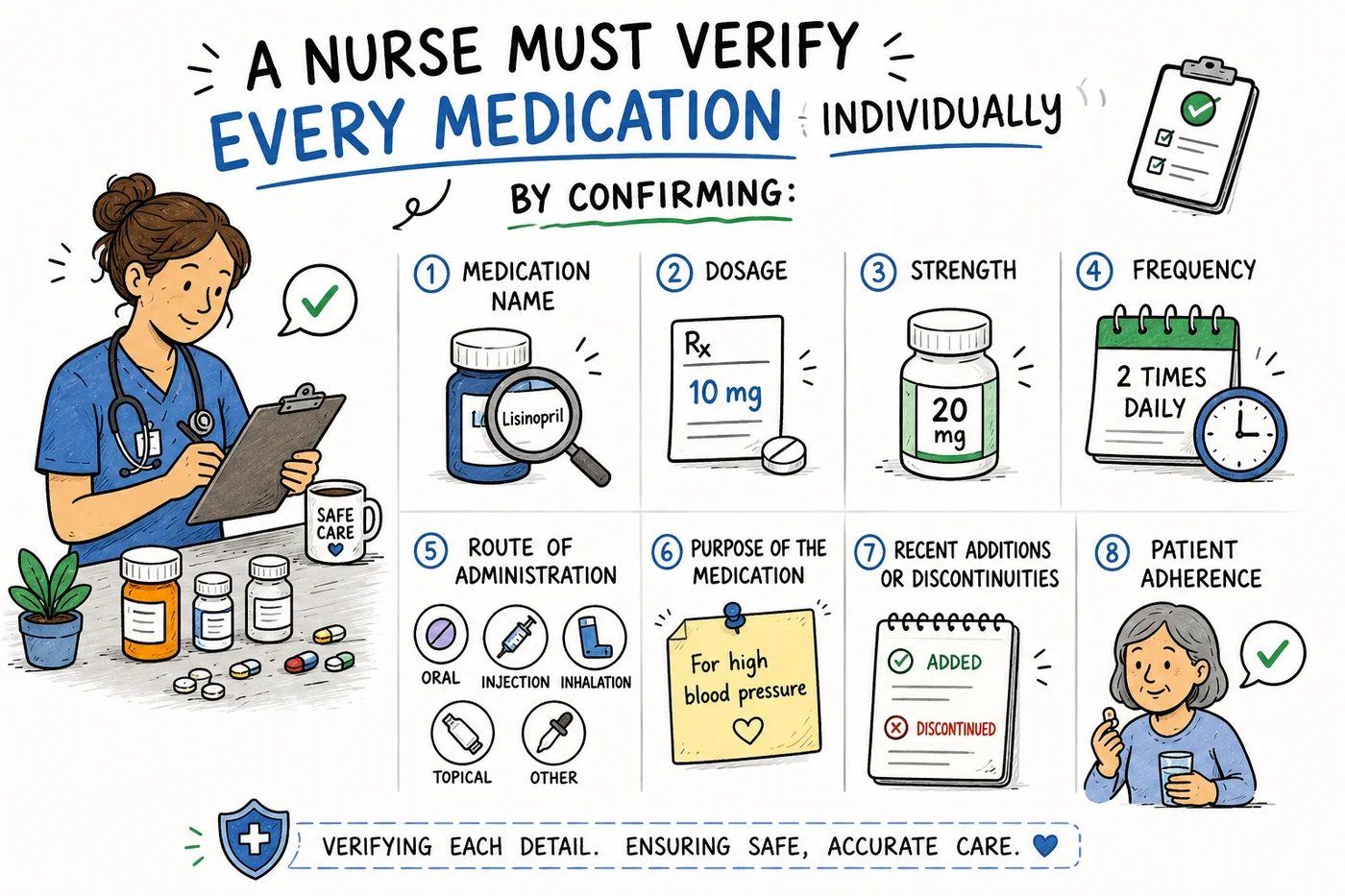
Medication reconciliation means verifying every drug individually, which is why patients on 20 to 40 medications turn it into a lengthy process.
Medication reconciliation is consistently one of the most time-consuming components of home health documentation. Unlike hospitals, where medications are generally managed within a single electronic record, home health clinicians often encounter patients whose medication lists come from multiple sources. Hospital discharge summaries, specialist prescriptions, primary care providers, pharmacies, and the medications physically present in the patient's home frequently don't match.
A nurse must verify every medication individually by confirming the name, dosage, strength, frequency, route of administration, purpose, recent additions or discontinuities, and patient adherence. Patients with multiple chronic conditions may easily take 20 to 40 medications, making reconciliation a lengthy process. Medication discrepancies are common and often require contacting physicians or pharmacists before documentation can be completed. Since medication reconciliation directly affects patient safety and CMS compliance, clinicians cannot simply skip or rush this process.
2. OASIS Documentation
OASIS documentation represents one of the largest documentation responsibilities for home health nurses. Unlike a simple progress note, OASIS requires clinicians to evaluate functional abilities, cognitive status, pain management, respiratory status, skin integrity, fall risk, medication management, homebound status, caregiver support, and clinical stability. Each answer influences reimbursement, quality measures, and future care planning.
The challenge is that OASIS isn't simply about checking boxes. Nurses must use clinical judgment to select the most accurate responses while ensuring that supporting documentation aligns with every assessment. Because of its complexity, OASIS documentation frequently extends well beyond the patient visit itself, and it is a leading reason OASIS documentation burns out nurses.
3. Multiple Systems and Duplicate Data Entry
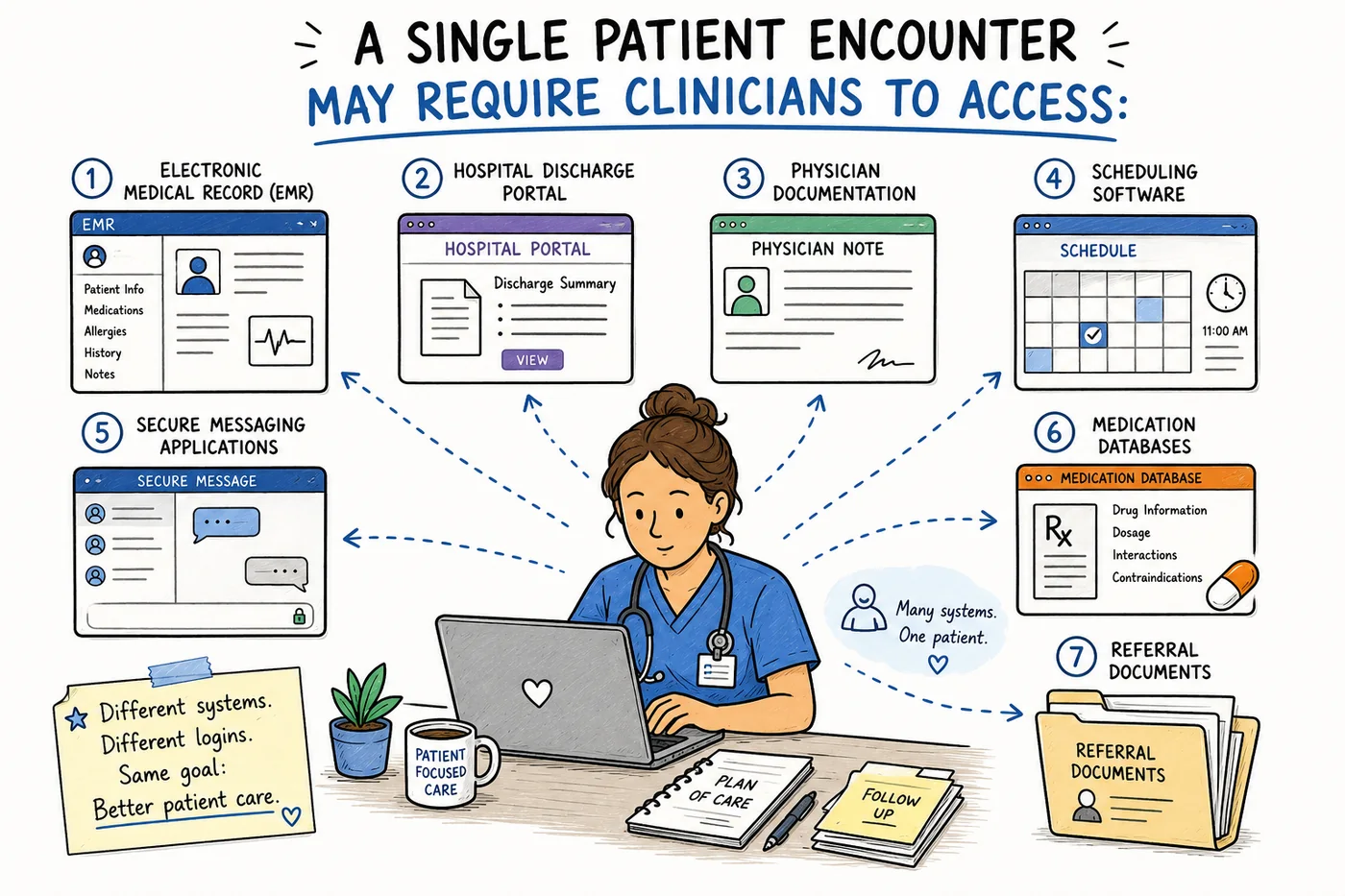
A single encounter can span seven separate systems, and information often has to be copied by hand from one to the next.
One of the biggest hidden productivity killers is duplicate documentation. A single patient encounter may require clinicians to access the Electronic Medical Record (EMR), hospital discharge portal, physician documentation, scheduling software, secure messaging applications, medication databases, and referral documents. Information often needs to be copied manually from one system to another because many healthcare platforms don't communicate effectively.
For example, a patient's medication list may already exist in the hospital discharge paperwork but still needs to be manually entered into the home health EMR. Similarly, physician orders, diagnoses, and care plans may require repeated documentation across different sections of the chart. Each additional login, screen change, or copy-and-paste task increases documentation time while also increasing the likelihood of errors.
4. Administrative Interruptions
Home health clinicians rarely have uninterrupted time to complete documentation. Throughout the day, they are constantly balancing patient care with operational demands: calls from schedulers, questions from physicians, pharmacy clarifications, family member concerns, requests from other clinicians, schedule changes, and new referrals.
Each interruption forces the clinician to pause documentation, shift mental focus, and later reconstruct where they left off. Research consistently shows that task switching reduces efficiency and increases the likelihood of mistakes. For nurses managing multiple patients, these interruptions accumulate throughout the day, making documentation significantly more time-consuming.
5. End-of-Day Charting
Many home health nurses postpone documentation until they've completed all of their visits. This is understandable: patient care naturally takes priority, and stopping to document after every visit can feel difficult when traveling between homes. However, delayed documentation introduces several challenges.
By the end of the day, clinicians may struggle to remember exact patient statements, medication changes, assessment findings, skilled interventions performed, education provided, and physician communications. As memory fades, documentation becomes slower because nurses spend additional time reconstructing events instead of simply recording them. End-of-day charting also contributes to after-hours work, fatigue, and clinician burnout. Completing documentation as close to the patient visit as possible generally produces more accurate notes while reducing overall documentation time.
How Documentation Delays Affect Home Health Agencies
Documentation delays don't only impact clinicians, they affect the entire organization. Home health reimbursement depends on timely, accurate, and complete documentation. When visit notes remain incomplete or contain missing information, downstream processes begin to slow. An unfinished visit note can delay claim submission, coding specialists may need clarification before finalizing diagnoses, and supervisors spend additional time tracking incomplete charts instead of focusing on quality improvement.
These delays can lead to:
- Slower Medicare reimbursement
- Increased accounts receivable days
- Additional administrative workload
- Greater compliance risk
- More clinician follow-up
- Reduced productivity across departments
- Increased staff frustration
Incomplete documentation also affects patient care. Physical therapists, occupational therapists, speech therapists, and other clinicians rely on previous visit notes to understand a patient's current condition, so delayed documentation can limit continuity of care. Ultimately, inefficient documentation workflows impact financial performance, operational efficiency, staff satisfaction, and patient outcomes. Improving documentation isn't just about helping nurses chart faster, it's about strengthening the entire home health organization.
Conclusion
Home health documentation isn't slow because nurses lack experience or dedication. It's slow because the workflow surrounding documentation has become increasingly complex. The agencies seeing the greatest improvements aren't simply asking clinicians to document faster. They're redesigning workflows, reducing administrative friction, and using technology to support clinicians instead of creating more work.
Before adding any tool, understand the existing workflow and define the real problem. As I often tell healthcare leaders, the goal is not more AI, the goal is better care, and that starts with understanding why so much healthcare AI fails in real clinical workflows. When documentation becomes simpler, nurses spend less time charting, agencies receive documentation sooner, and patients benefit from more focused, human-centered care.
🚀 Redesign the workflow, don't just chart faster. Copper Digital's AI Documentation Agent captures the visit by voice, photo, or tap and drafts notes and OASIS-E in real time, cutting duplicate entry and after-hours charting, with a nurse reviewing and approving every record before it reaches billing. Explore AI tools for home health nurses, see how human-in-the-loop review works, or book a demo.
🎓 Go deeper with peers. Join our Home Health Mastermind Skool community for training on documentation workflows, OASIS accuracy, and practical strategies to reduce charting burden without sacrificing quality.
Home Health Documentation Playbook
The complete guide to OASIS-E, Medicare compliance, PDGM, and AI-assisted documentation. Learn how top agencies reduce documentation time without sacrificing compliance.
Bottom Line
Home health documentation is slow because the workflow around it is fragmented: medication reconciliation, OASIS, duplicate entry across disconnected systems, interruptions, and after-hours charting. Agencies that redesign the workflow and support clinicians with human-in-the-loop AI, rather than just asking them to chart faster, cut documentation time and strengthen the whole organization.

Genevieve Fom is a family nurse practitioner and clinician-led healthcare AI strategist who helps health systems implement AI in ways that support clinicians rather than add burden. She writes about workflow design, documentation, and putting better care ahead of more technology.
Frequently asked
Frequently asked questions
A home health documentation workflow is the structured process clinicians follow before, during, and after every patient visit. It includes reviewing referrals, assessing the patient, reconciling medications, completing OASIS assessments (when applicable), documenting skilled interventions, updating the care plan, and submitting visit notes for compliance and billing. An efficient workflow ensures documentation is accurate, timely, and supports high-quality patient care.
Join the conversation
Leave a comment
Related reading
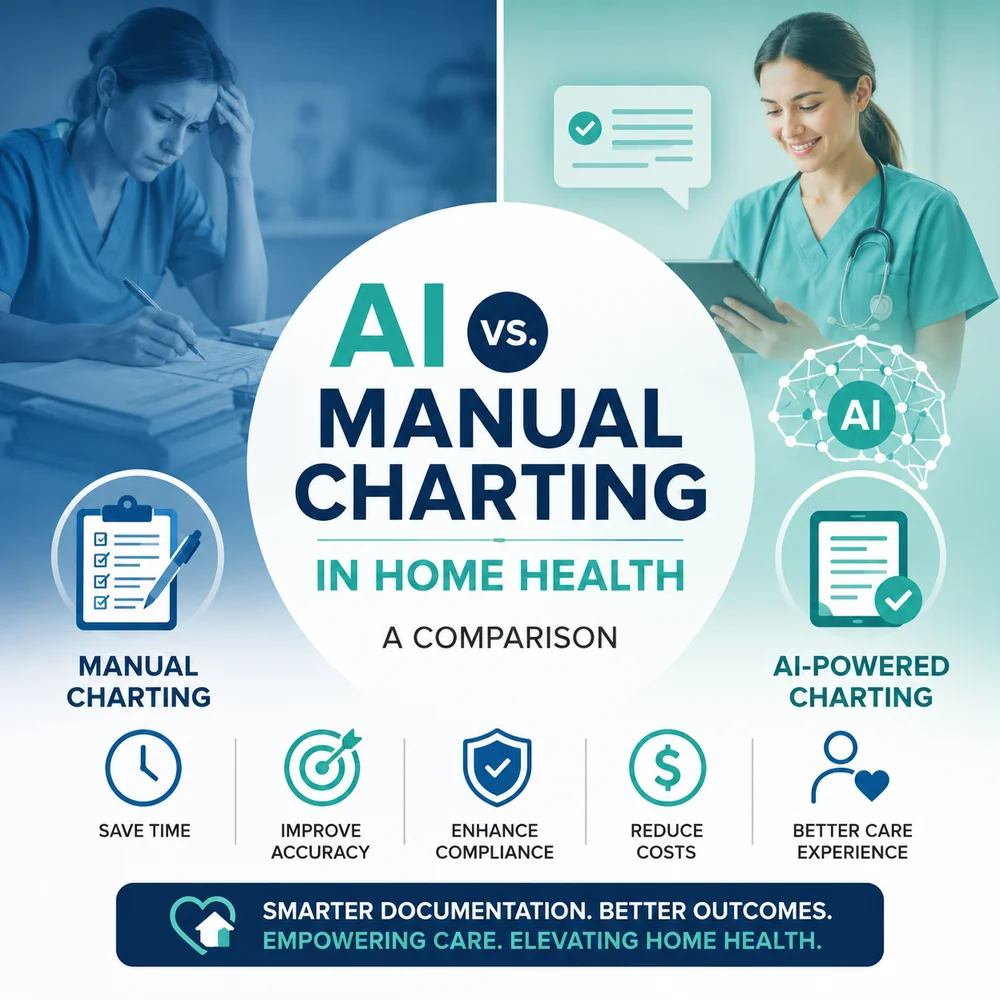
AI vs. Manual Charting in Home Health: An Honest Comparison
Manual charting has been the home health standard for decades, but AI-assisted documentation is changing how notes get done. This honest comparison weighs both across time, accuracy, compliance, cost, clinician experience, and patient care, and explains why the best workflows combine AI efficiency with clinician judgment.

The Biggest Documentation Challenges Home Health Nurses Face
Home health nurses face heavy documentation challenges: delayed point-of-care charting, excessive administrative time, clunky EHRs, OASIS complexity, strict reimbursement rules, working in isolation, endless QA corrections, and after-hours charting that drives burnout. Reducing documentation burden is now essential for clinician retention, patient outcomes, and agency financial performance.
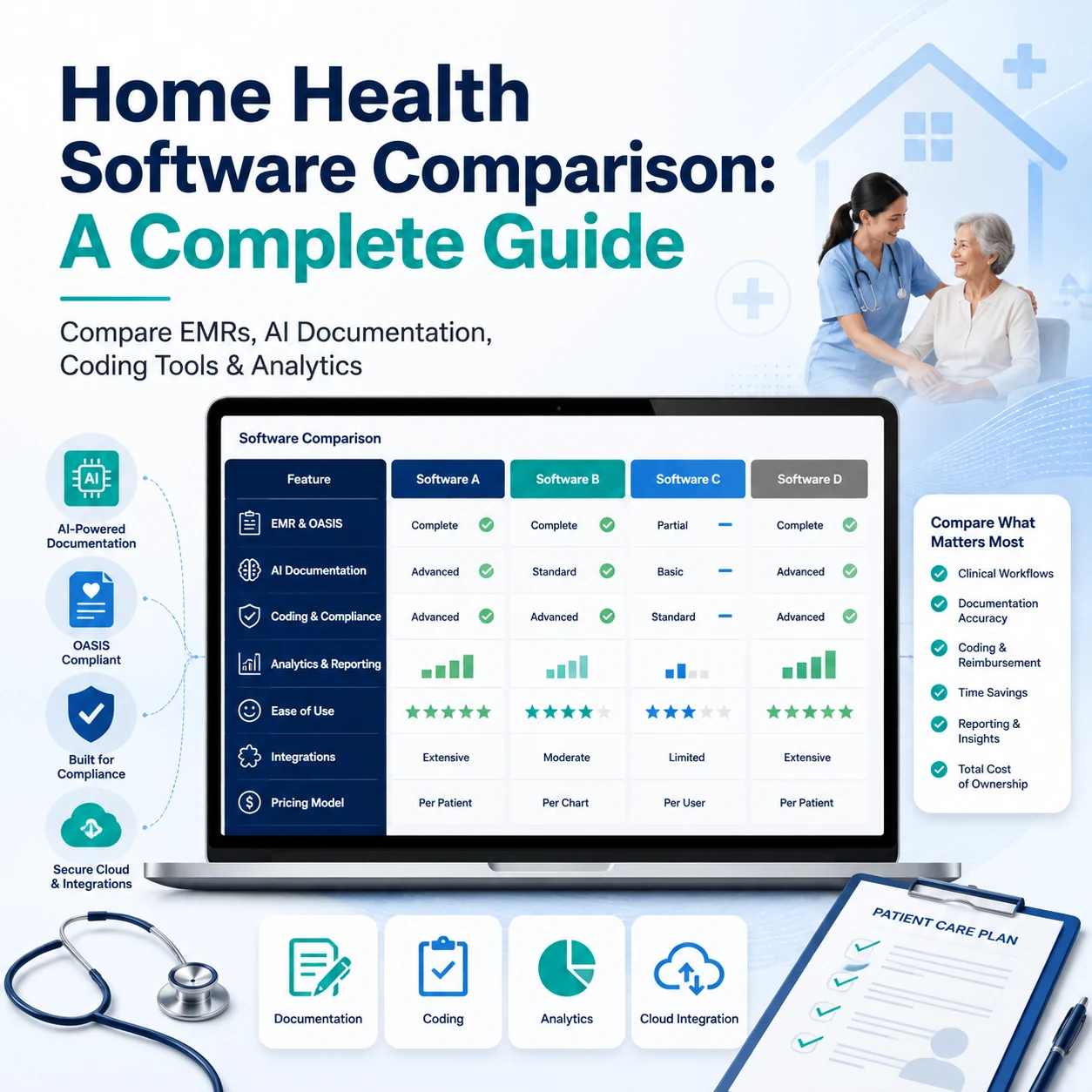
Home Health Software Comparison: A Complete Guide (2026)
The best home health software in 2026 isn't one platform, it's a stack. This guide compares EMRs, AI documentation, coding, OASIS QA, and analytics, with vendor strengths and limitations, comparison tables, and a build-your-stack checklist.