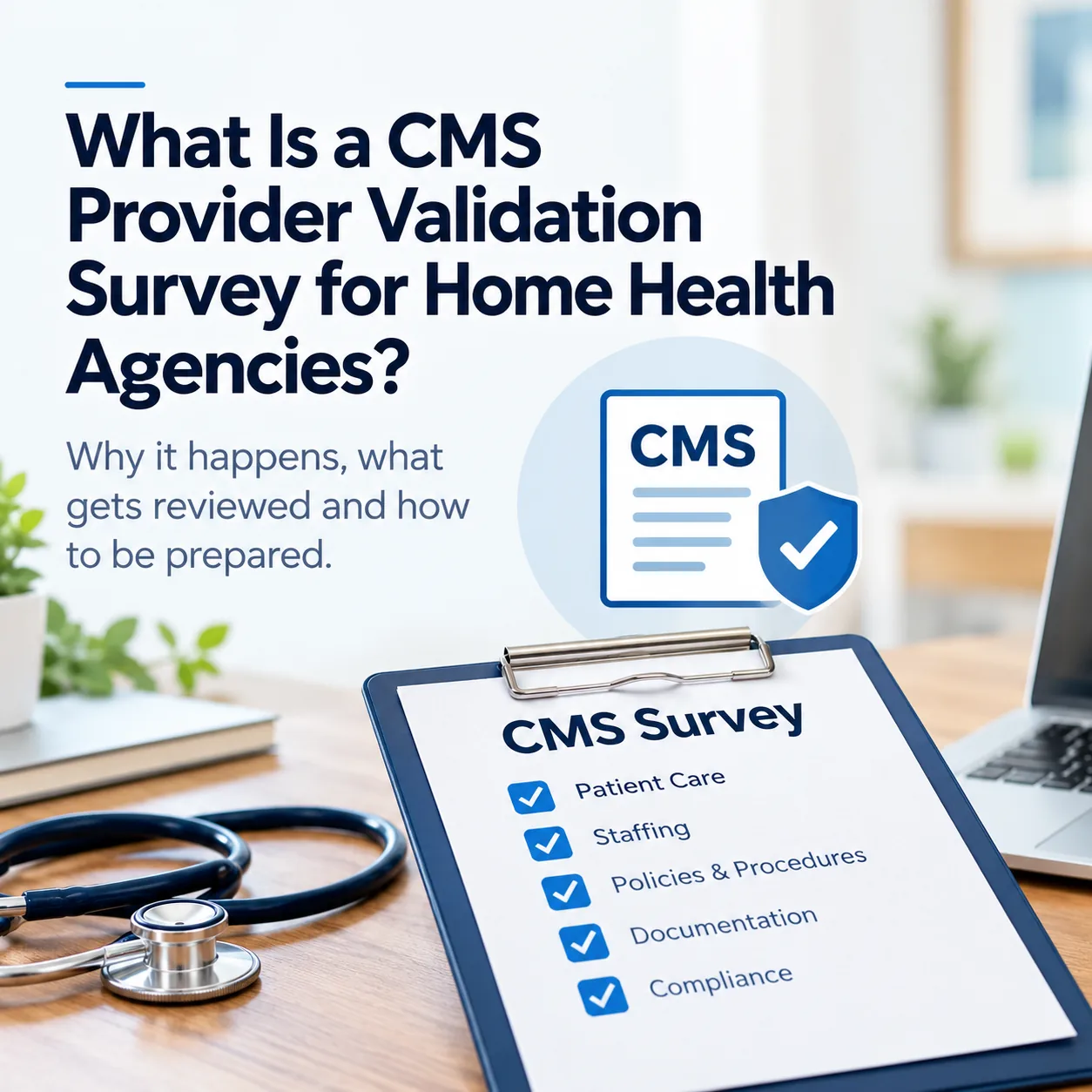
ℹ️ Terminology note: Agencies often call this a “provider validation survey,” but CMS describes it as a provider enrollment site visit or site visit verification. It is not the same as a health-and-safety certification survey.
A CMS walk-in visit can turn an ordinary office day into a high-stakes moment. Your home health agency may have completed accreditation or a deemed-status survey and may be waiting for the next Medicare enrollment step.
Your team may wonder what the inspector will ask, who should be present, what records must be accessible, and what happens if the office does not match the information submitted to CMS.
CMS uses provider enrollment site visits to verify enrollment-related information and help prevent questionable providers and suppliers from enrolling or remaining enrolled in Medicare. Current CMS enrollment guidance says National Site Visit Contractors (NSVCs) conduct unannounced visits.
Don't get scared. Get prepared.
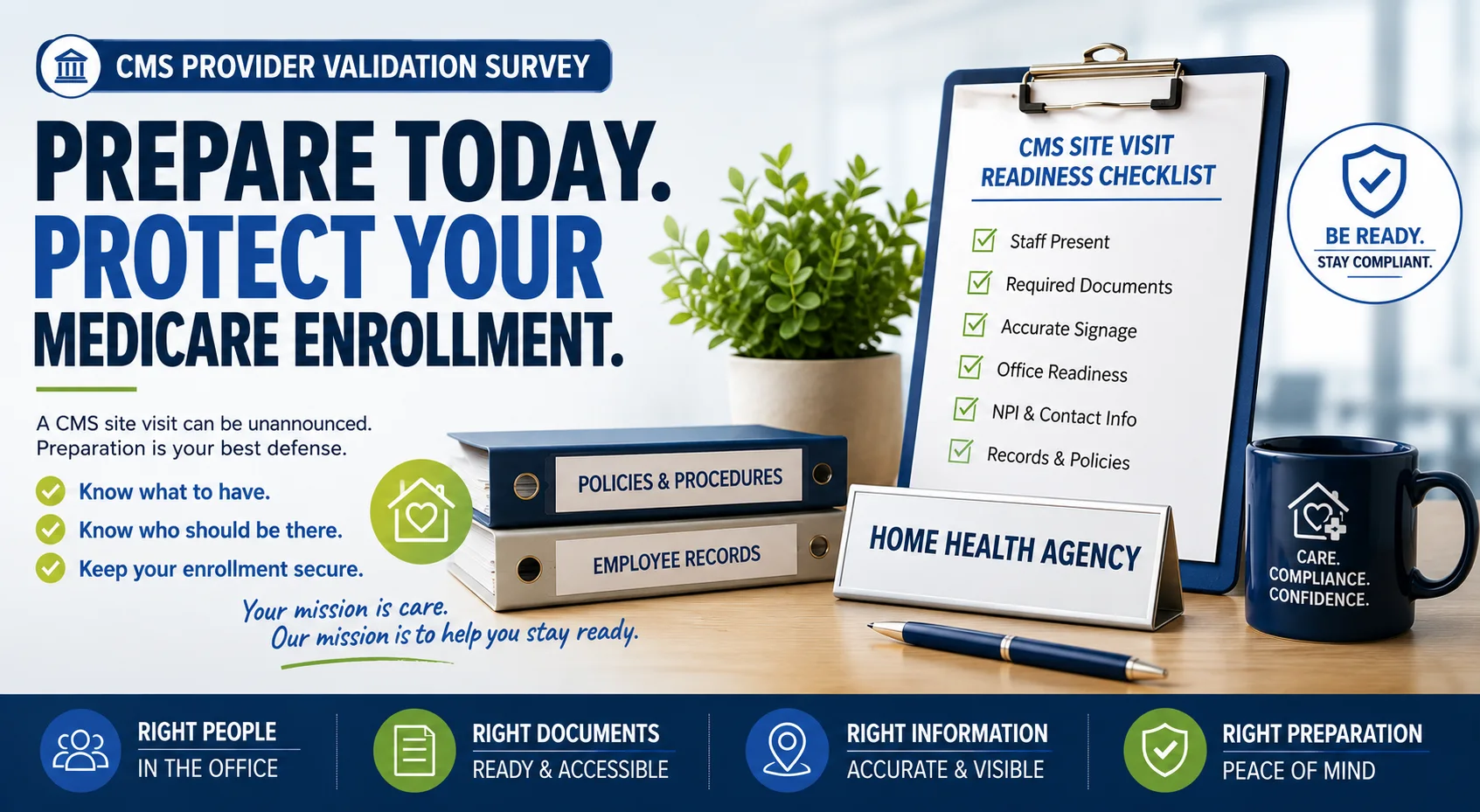
A site visit may be brief, but preparing only for the minimum can leave staff scrambling. Make sure the office, people, records, contact information, and enrollment details are ready before anyone arrives.
What Is a CMS Provider Enrollment Site Visit?
A provider enrollment site visit is different from a traditional State Survey Agency or accreditation survey. It is tied to Medicare enrollment and the information in the provider's enrollment record.
Under 42 CFR § 424.517, CMS may conduct an onsite review to verify enrollment information and determine compliance with Medicare enrollment requirements.
CMS says an NSVC may conduct either an observational visit with minimal staff contact or a detailed review that includes entering the facility, speaking with staff, and collecting information. The visit may include photographs of the facility.
✓ CMS's institutional-provider enrollment guide specifically includes home health agencies and notes that a MAC may order an NSVC site visit before issuing a final enrollment decision.
1. Who Should Be in the Office During a CMS Site Visit?
Because a visit can be unannounced, an actual agency employee should be available at the reported location during the agency's posted normal business hours. Do not rely on a neighbor, friend, landlord, or unrelated person who merely has building access.
A practical readiness standard is for the employee to have a documented job role, an appropriate personnel record, and enough knowledge to explain their relationship to the agency and contact the right leader. They should know:
- Their own accurate job title and role.
- The Administrator and relevant clinical leader, such as the Director of Patient Care Services (DPCS) where that title applies.
- Who to contact when an inspector arrives.
- Where basic agency and enrollment information is maintained.
- How to assist without guessing or overstating their authority.
The person does not need to be the agency's top clinical expert, but they should be able to demonstrate that they work for a legitimate, functioning organization.
2. Why Does CMS Care Whether the Office Is Operational?
CMS is verifying whether the provider operates at its reported practice location. An agency should not treat the period between accreditation and final Medicare enrollment as a time when the listed office can sit empty.
The office does not need to be expensive or elaborate. It should be accessible, functional, properly identified, equipped for ordinary business activity, connected to the agency's operations, and consistent with the enrollment application.
3. What Should the Employee in the Office Know?
The person answering the door does not need to memorize the Medicare Conditions of Participation. They should know the basic facts of the agency and how to retrieve accurate information.
- Their job title and responsibilities.
- The Administrator and appropriate clinical leader.
- Agency designees and owners.
- Whether the agency has active patients.
- Where the current staff list and basic agency records are kept.
- Where the National Provider Identifier (NPI) can be found.
The employee's explanation should match their actual role and personnel documentation. A receptionist should not be represented as a clinical or administrative leader simply because that person is onsite.
4. Check the Agency's Phone Number Before CMS Arrives
Test the reported business phone from an outside number. Confirm that it rings, can be answered, has appropriate voicemail, and uses accurate call forwarding where applicable.
Compare the number across office signage, enrollment records, the website, business cards, marketing materials, and patient-facing documents. If the agency changes a phone number, address, ownership, or other enrollment fact, use the applicable reporting process rather than updating only the sign.
CMS's institutional-provider guide says changes in ownership, adverse legal actions, and practice location generally must be reported within 30 days, while other changes generally must be reported within 90 days. Verify the rule that applies to the agency and update the information through PECOS or the applicable form.
5. What Signage Should a Home Health Agency Review?
The entrance should clearly identify the agency. Review the legal or approved business name, physical address, posted business hours, and phone number for accuracy and consistency with enrollment information.
Because site visits may include photographs, assume the location and signage may be documented. Agencies should also review whether applicable licenses, accreditation documents, labor notices, organizational information, complaint instructions, and service-area materials are current and accessible. Display obligations vary by state and circumstance; confirm what applies to your agency.
6. Keep State Licensure Information Current
Track state-license renewal dates and do not wait until expiration to begin the renewal process. Timelines and evidence requirements vary by state.
If a renewal is pending, maintain the submission, payment, correspondence, and any other evidence recognized by the applicable state authority. Do not assume a pending application automatically extends a license; confirm the state's rule.
7. Keep Accreditation Documentation Accessible
If the agency has completed accreditation, keep the current certificate and related documentation accessible. The purpose is not decoration; it is being able to accurately demonstrate and locate the agency's accreditation information when relevant.
8. Know the Difference Between an NPI, PTAN, and State License Number
| Identifier | Meaning | Purpose |
|---|---|---|
| NPI | National Provider Identifier | Unique healthcare identifier used in standard transactions |
| PTAN | Provider Transaction Access Number | Medicare-assigned identifier associated with enrollment and billing |
| State license number | Identifier issued by the applicable state authority | Evidence of state licensure under that state's requirements |
These identifiers are not interchangeable. Staff do not necessarily need to memorize each number, but they should know where authorized agency records contain the correct information.
9. What Documents Should Be Ready for a CMS Site Visit?
CMS says site visits follow predefined checklists and procedures and may vary between observational and detailed reviews. Prepare for accurate retrieval rather than trying to predict one exact request.
| Area | Examples to keep current and accessible |
|---|---|
| Staff | Current staff list; Administrator; clinical leader; designees; owner information |
| Personnel | Employment and personnel records appropriate to the staff onsite |
| Patients | Current census and secure location of patient records, when applicable |
| Operations | Policies, admission materials, organizational chart, service-area information |
| Enrollment | NPI, reported address, business phone, PECOS or enrollment records |
This is a practical readiness list, not a claim that every item will be requested in every CMS site visit. Follow the inspector's authorized request and protect information that is not needed for the visit.
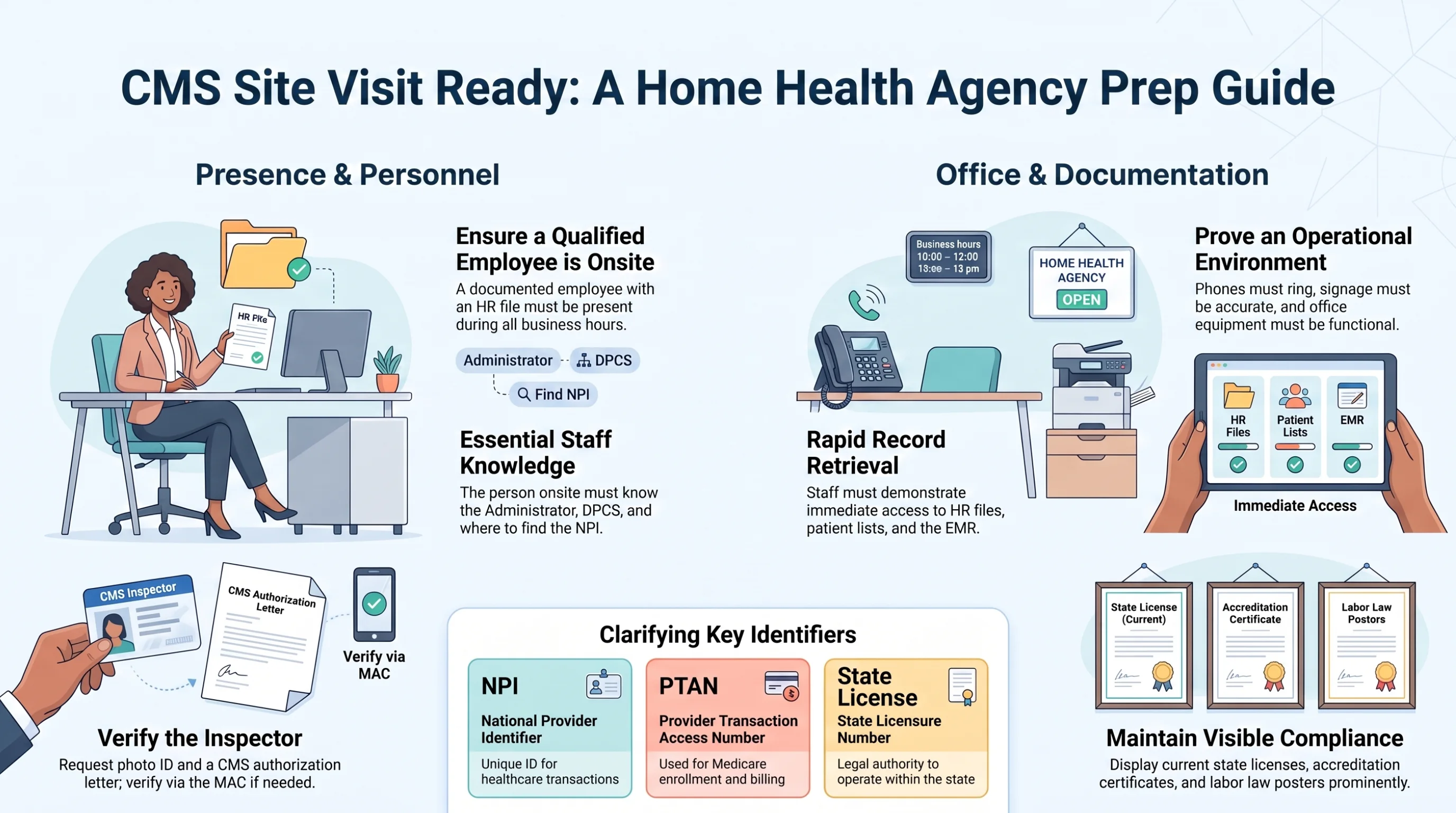
Use this as an internal preparation aid. Exact licensing, display, staffing, and document requirements can vary by state, enrollment record, and visit scope.
10. Keep Patient Files Secure and Accessible to Authorized Staff
Paper patient records should be secured in accordance with applicable privacy, security, retention, and agency requirements. Electronic records should be available only to appropriately authorized staff.
- Confirm the office computer and internet connection work.
- Verify authorized staff can sign in without sharing credentials.
- Make sure records can be located efficiently.
- Maintain appropriate access controls and patient privacy.
- Prepare a process for responding to an authorized information request.
Do not wait for a site visit to discover that the office computer cannot access the electronic medical record (EMR).
11. What Should the Home Health Office Look Like?
The office needs to look and function like the agency's real reported business location. Basic readiness may include desks, chairs, a working computer, internet access, a printer where used, office supplies, secure storage, and safety equipment required for the setting.
Do not stage a showroom only for inspection day. Daily operations should support what the agency represented to CMS.
12. Does a Home Health Agency Need Medical Supplies in the Office?
Not every agency maintains the same onsite inventory. Some obtain patient-specific supplies as needed, while others store supplies at the office.
If supplies are stored onsite, manage them under applicable agency policies and requirements. Review expiration dates, storage conditions, organization, inventory, access, and infection-control considerations. Choose an audit frequency appropriate to the items and applicable rules rather than assuming one universal CMS interval.
13. What Should Staff Do When an Inspector Walks In?
Stay calm and establish who has arrived. CMS says a site-visit inspector carries photo identification and a CMS-issued, signed authorization letter that the provider may review. If staff want to verify that CMS ordered the visit, they can contact the agency's Medicare Administrative Contractor (MAC).
- Ask to review the inspector's photo ID and CMS authorization letter.
- Document the person's name, contractor, arrival time, and internal notifications according to agency policy.
- Contact the Administrator, appropriate clinical leader, or designated enrollment contact.
- Remain available, professional, and truthful.
- Locate requested information when authorized and protect patient information appropriately.
- If unsure, say so and involve the appropriate person instead of guessing.
⚠️ CMS warns that an inspector's inability to perform a site visit may result in denial of a Medicare enrollment application or revocation of Medicare billing privileges.
14. What Should Staff Avoid Saying?
Avoid responses that make the agency appear disconnected from its own operations, such as “I know nothing about the agency” or “Only our consultant handles that.” Consultants can help, but the agency's employees still need basic operational awareness.
For example: “I want to make sure I give you accurate information. Let me contact our designated leader while I help locate the requested record.”
This response is truthful and helpful, and it avoids inventing an answer.
15. Why Confidence Matters During a CMS Site Visit
Confidence does not mean pretending. It comes from knowing one's role, understanding the agency's basic structure, and being able to locate accurate information or contact an authorized person.
The goal is not scripted answers. It is organizational readiness that allows staff to be calm, professional, and accurate.
16. How Should Agencies Train the Person in the Office?
Run a short practice session before a site visit. Ask the employee to answer or demonstrate:
- What is your job title and role?
- Who is the Administrator and appropriate clinical leader?
- Who are the agency's designated contacts and owners?
- Where are the staff list, personnel files, policies, admission materials, and patient records maintained?
- Where can an authorized person locate the NPI and enrollment information?
- What will you do if a CMS site-visit contractor arrives?
If the employee cannot answer these questions, the agency has identified a training gap before an inspector does.
17. Create a Daily CMS Site-Visit Readiness Check
Office readiness
- An agency employee is available as required during posted business hours.
- The entrance is accessible and agency signage is visible.
- Name, address, phone number, and hours are accurate.
- Computer, internet, phone, and other normal office equipment work.
Documentation and enrollment readiness
- State licensure and accreditation information are current and accessible.
- Organizational and applicable posting information is current.
- NPI and enrollment records are accessible to authorized staff.
- Staff, leadership, ownership, contact, and census information is current.
- Relevant enrollment changes have been reported through the appropriate process.
Records and staff readiness
- Personnel and patient records are secure.
- Authorized staff can access electronic records.
- Policies and admission materials can be located.
- The onsite employee knows their role and the inspector-response process.
18. The Biggest CMS Site-Visit Preparation Mistakes
- Leaving the reported office unavailable. An unannounced visit cannot be completed if the inspector cannot access the location as expected.
- Assuming the phone works. Test it from outside the office.
- Allowing signage or enrollment information to become outdated. Review names, addresses, hours, licenses, and contact information.
- Having an unrelated person merely sit in the office. The onsite person should have a real, documented role.
- Confusing or being unable to locate identifiers. Staff should know where authorized records contain the NPI and other relevant numbers.
- Keeping records somewhere nobody onsite can access. Test technology and retrieval before it matters.
- Training only the Administrator. The person who answers the door needs a response process too.
- Panicking or guessing. Be professional, truthful, and prepared.
19. CMS Provider Enrollment Site Visit vs. State or Accreditation Survey
A CMS provider enrollment site visit verifies enrollment-related information and the reported practice location. A State Survey Agency or accreditation survey evaluates compliance with applicable certification requirements and Conditions of Participation.
CMS expressly describes provider enrollment site visits as distinct from health-and-safety surveys. Passing accreditation does not eliminate the possibility of an enrollment site visit. For the certification-survey process, see our guide to what happens when a home health or hospice agency fails a survey.
20. What Should an Agency Do While Waiting for Medicare Enrollment?
Stay operationally ready. Use the waiting period to review staff records, licensure, accreditation, contact information, signage, policies, office equipment, record security, NPI information, ownership, and the enrollment application.
Monitor PECOS status and communications from the MAC, respond to information requests promptly, and do not wait for an announced inspection date; CMS describes these visits as unannounced.
CMS Provider Validation Survey Preparation Checklist
People
- Is an actual agency employee available at the reported location as required during business hours?
- Does the employee understand and have documentation supporting their role?
- Do they know the Administrator, clinical leader, designated contacts, and basic agency facts?
Physical office
- Is the agency clearly identified and accessible?
- Do the address, phone number, and posted hours match enrollment information?
- Does the office function as the agency's real business location?
- Are essential systems and equipment operational?
Documents and enrollment
- Are applicable licenses and accreditation documents current and accessible?
- Can authorized staff locate the staff list, personnel records, policies, admission materials, and secure patient records?
- Are the NPI, contact details, ownership information, and enrollment record accurate?
- Have reportable changes been submitted through the applicable process?
Inspector response
- Does the employee know how to review photo ID and the CMS authorization letter?
- Can staff contact the MAC to verify a CMS-ordered visit if needed?
- Do they know whom to notify and how to assist without guessing?
Final Takeaway: Don't Get Scared. Get Prepared.
A CMS provider enrollment site visit does not need to become a crisis, but an unannounced visit should not find the agency unprepared.
Know who is in the office, what that person should know, where enrollment and operational records are kept, whether the phone and technology work, whether signage is accurate, and whether daily operations match what the agency represented to CMS.
The best preparation is not memorizing answers. It is building an agency that is ready every day.
Official Sources and Further Reading
- CMS Medicare Provider Enrollment guidance.
- CMS guide for enrolling as an institutional provider.
- 42 CFR § 424.517—Onsite review.
- CMS Home Health Agency survey and certification guidance.
- CMS Medicare Administrative Contractor directory.
ℹ️ Disclaimer: This article provides general educational information and is not legal, enrollment, accreditation, clinical, privacy, or compliance advice. Site-visit scope and applicable requirements can vary. Follow official CMS and MAC instructions, your state's requirements, and qualified professional guidance for your agency's circumstances.